You can wire a webhook, transform JSON with ten lines of JavaScript, and fan out to three services — without opening an IDE or provisioning a server. That is the promise n8n sells to developers who find Zapier too restrictive and raw code too slow. The catch: you still have to think like an engineer when something breaks at 2 AM.
This n8n Cloud Review 2026 covers what the hosted product actually delivers — pricing after n8n’s 2025 overhaul, where it beats task-based tools, and where a simpler platform still wins.
What is n8n Cloud?
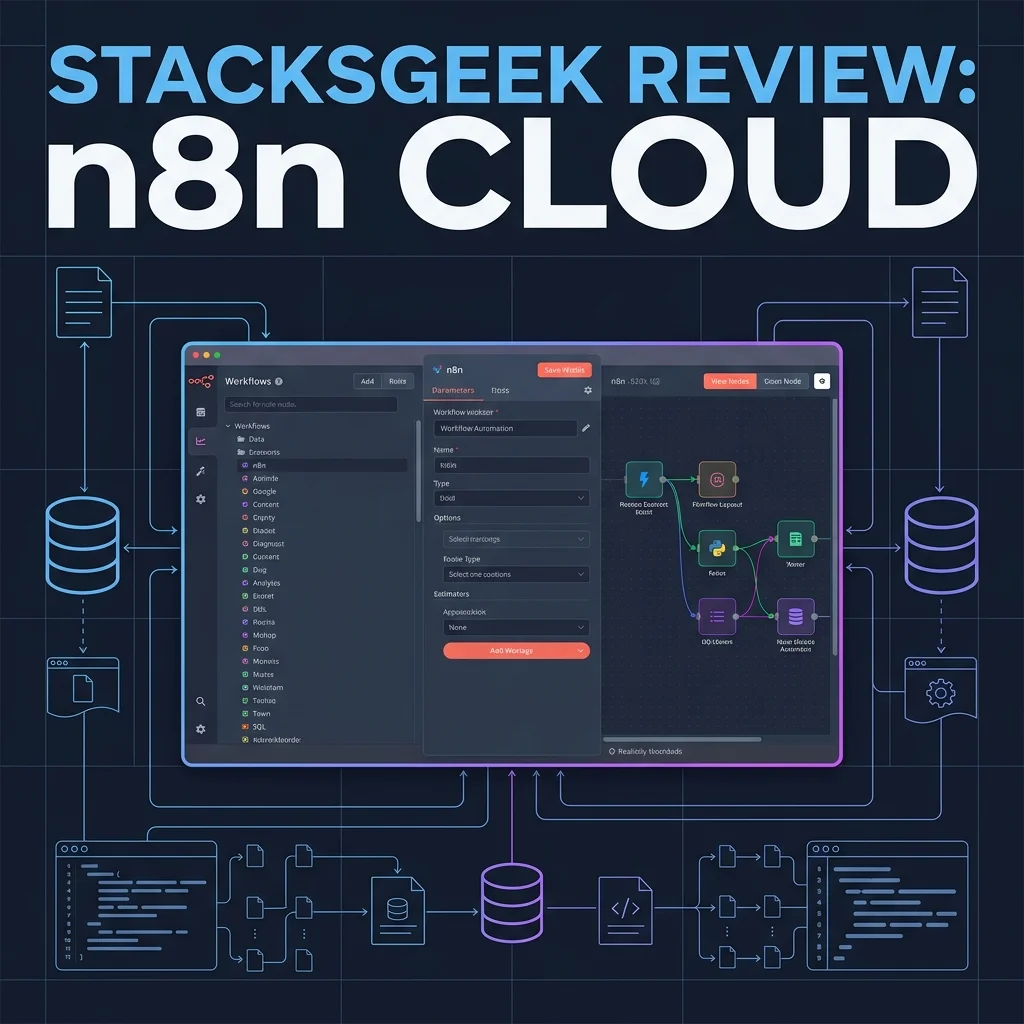
n8n is an open-source workflow automation platform launched in 2019. n8n Cloud is the managed hosting option: same node-based editor and 400+ integrations, without running Docker yourself.
Each step in a workflow is a node — triggers (webhook, schedule, app event), actions (Slack, PostgreSQL, HubSpot), and logic nodes (IF, Switch, Merge). Data passes between nodes as JSON you can inspect per step.
What separates n8n from Zapier or Make:
- Execution billing — one workflow run = one execution, regardless of how many nodes fire (within concurrency limits).
- Code nodes — run JavaScript or Python inline when visual mapping is not enough.
- Self-host exit ramp — export workflows as JSON and move to Community Edition on your own VPS if Cloud limits bite.
If you need a managed beginner tool first, our Zapier review covers the fastest on-ramp. If you want a visual canvas comparison against Zapier, see Make.com vs Zapier.
Key Features in 2026
Node-Based Editor with Pin Data
The canvas is vertical by default: trigger at the top, actions flowing downward. Click Execute step on any node to run it in isolation and pin sample output — the next node downstream uses that pinned data while you build.
That single feature saved me more time than any template library. On Zapier you often run the entire Zap to see step 4’s payload. On n8n I pinned a Stripe webhook body, iterated on a Code node three times, then wired Slack — without re-triggering live events.
400+ Integrations + HTTP Request
Core SaaS coverage is solid: Slack, Google Sheets, HubSpot, GitHub, Notion, OpenAI, Anthropic. Gaps exist compared to Zapier’s 7,000-app catalog — niche vertical tools may need the HTTP Request node and manual API docs.
For internal stacks (PostgreSQL, Redis, webhooks), n8n is often stronger out of the box than consumer-facing automation tools.
Error Workflows and Retries
n8n supports dedicated Error Trigger workflows: when workflow A fails, workflow B runs — log to a table, ping Slack, attempt a fallback API call.
Per-node retry settings (count, wait between attempts) are configurable on Cloud Pro. For production ops, this is the feature that separates “demo automation” from “ops automation.”
AI Nodes and Workflow Builder Credits
Cloud plans ship AI Workflow Builder credits (Starter: 50/month on current plans; Pro tiers higher). You describe a workflow in plain language; n8n drafts nodes you refine manually.
Native OpenAI, Anthropic, and related nodes pipe workflow data into prompts without custom HTTP auth wiring. Useful for ticket summarization or lead enrichment — same category as AI steps in Make.com, but with Code node escape hatches when the model output needs parsing.
Version History and JSON Export
Paid tiers include workflow history with rollback. Every workflow exports to JSON — backup, git commit, or migrate to self-hosted Community Edition. Make supports export too; Zapier’s portability is more limited. For teams allergic to vendor lock-in, this matters.
Pricing: Executions, Not Tasks
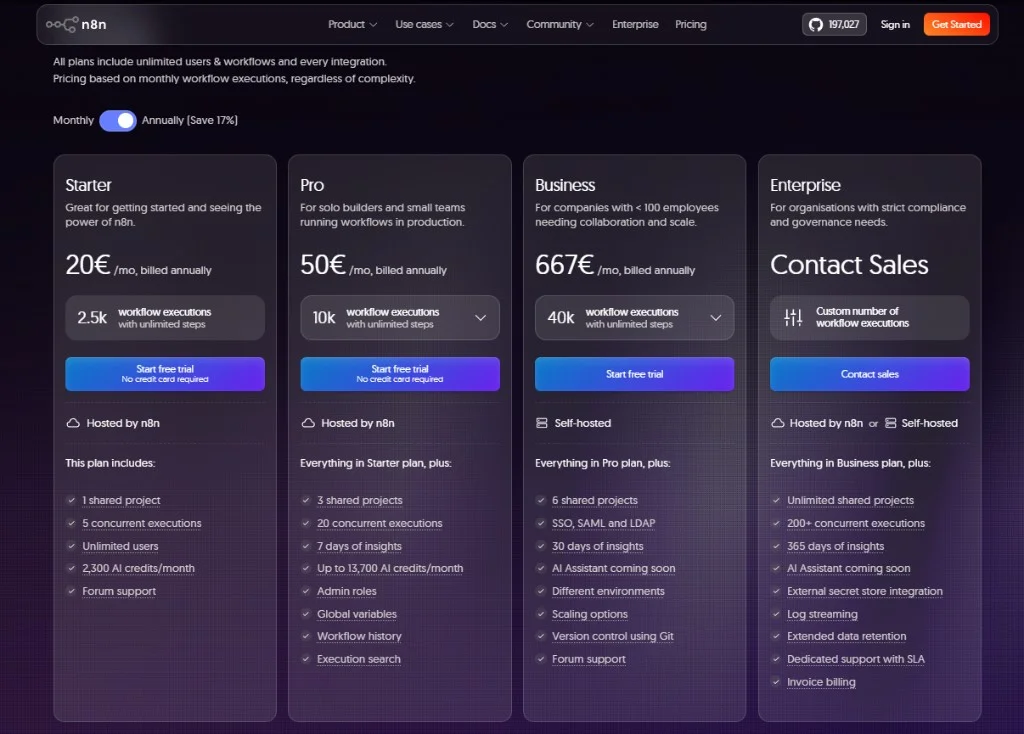
n8n removed active workflow limits in 2025. Every paid Cloud plan allows unlimited workflows and unlimited users. You pay for monthly executions — one full run from trigger to finish.
| Plan | Price (Monthly) | Price (Annual billing) | Executions/mo | Best For |
|---|---|---|---|---|
| Community (self-hosted) | Free | Free | Unlimited* | Devs with VPS time |
| Starter (Cloud) | $24/mo | ~$20/mo | 2,500 | Solo devs, low-volume webhooks |
| Pro (Cloud) | $60/mo | ~$50/mo | 10,000 | Teams, production error handling |
| Business (self-hosted) | $800/mo | ~$667/mo | 40,000 | SSO, Git sync, governance |
| Enterprise | Custom | Custom | Custom | Dedicated infra, SLAs |
*Community Edition is free software; you pay for server, backups, and your time.
How to read this without surprises:
- Executions ≠ tasks. A 12-node workflow that runs 100 times = 100 executions, not 1,200 billable units. Compare that to Zapier, where the same flow can burn 1,100+ tasks per 100 runs — we break down that math in our Zapier review.
- Starter’s 2,500 cap is tight. A schedule trigger polling every 5 minutes consumes ~8,640 runs/month. Prefer webhooks or longer poll intervals on Starter.
- Self-host is the long-game play. A $6/month VPS + Community Edition removes execution caps entirely if you accept DevOps overhead.
Annual billing saves roughly 17% on Cloud tiers. Pro adds admin roles, global variables, extended execution history, and workflow insights — worth it when failures have dollar costs.
n8n Cloud vs The Competition
n8n vs Zapier
Zapier wins on onboarding speed and integration breadth. Our Shopify → Slack test went live in 8 minutes on Zapier (full story). Non-technical teammates need less hand-holding.
n8n wins on execution economics and control. Error workflows, Code nodes, and per-run billing suit teams running multi-step production pipelines. If you hit Zapier’s Paths paywall at $103.50/month for 10k tasks, n8n Pro’s execution model deserves a serious look — not because n8n is “ cheaper at all costs,“ but because billing aligns with how complex flows actually run.
n8n vs Make.com
Make.com wins on pure visual polish — the 2D canvas, Routers, and real-time data bubbles are excellent for agency delivery (Make.com review). Routers on the $9/month Core plan remain hard to beat for branching-heavy client work.
n8n wins when you need code in the loop, PostgreSQL-native nodes, or a self-host path. Make charges per operation (module run); n8n charges per execution. A 10-module Make scenario running 1,000 times can equal 10,000 operations; the same run count on n8n is 1,000 executions. Which is cheaper depends on scenario shape — link to our Make.com vs Zapier piece for parallel pricing context, not a duplicate calculator here.
Verdict: Pick n8n for developer control and execution-based billing. Pick Make for visual client delivery at low branching cost. Pick Zapier when the app only exists in Zapier’s catalog and the flow stays linear.
My Experience with n8n Cloud
I ran n8n Cloud Pro for four months on a side-project SaaS stack: Stripe, HubSpot, SendGrid, Postgres, and Slack — on a MacBook Pro, mostly evenings and weekends.
The Win: Stripe → CRM Without Task Math
First production workflow: Stripe checkout.session.completed webhook → Code node normalizing line items → HubSpot upsert contact → SendGrid template send for onboarding.
Build + test: ~70 minutes first time, ~25 minutes after I learned pin data. The Code node extracted customer_email and filtered add-ons in 12 lines of JS — ugly in Zapier, trivial here.
That workflow averaged ~140 executions/month over the test window. On Zapier, a comparable 4-step path would be ~420 tasks at minimum — still fine on Starter, but the gap widens when I added branches.
The Friction: Polling Ate My Starter Quota
Second workflow: poll a Postgres table every 10 minutes for failed jobs → Slack alert. Simple logic, ~4,320 executions/month from polling alone — Starter’s 2,500 cap lasted 18 days.
Fix: convert to webhook triggered from app code when a job fails. Executions dropped to ~90/month. Lesson: n8n rewards event-driven design; lazy polling is expensive even when billing is fair.
The Weekend I Misconfigured an IF Node
Nested boolean conditions on the IF node confused me — AND vs OR groups are powerful but not obvious. I shipped a workflow that silently skipped VIP routing for 11 days until a customer complained. Error workflow caught nothing because the run “succeeded” with zero downstream nodes.
Documentation is decent; community forum answers saved me. Not beginner-proof.
What I Still Self-Host Locally
I keep a Community Edition instance on a small VPS for personal experiments — unlimited executions, same JSON exports. Cloud is for client-facing uptime; self-host is for messy R&D. That flexibility is n8n’s moat.
Final Verdict: Is n8n Cloud Worth It?
n8n Cloud is not the tool you hand to a non-technical cofounder on day one. It is the tool you migrate to when Zapier’s task math or Make’s operation counting starts fighting your architecture — and you want a managed option before committing to full self-host.
Buy n8n Cloud if:
- You are comfortable with JSON, webhooks, or light scripting.
- Workflows are business-critical and need error handling + retries.
- Execution-based billing fits multi-step runs at moderate volume.
- Open-source portability and optional self-host matter to your stack.
Skip n8n Cloud if:
- You need the widest SaaS catalog with zero API wiring — Zapier still wins there.
- You prioritize visual client delivery over code — Make.com may fit agencies better.
- You will not move off polling triggers on Starter’s 2,500 execution cap.
Final Rating: 4.6 / 5