It’s 11pm. You just promised a client their lead capture system will auto-route to CRM, send a Slack alert, and trigger a personalized email sequence — all by tomorrow morning. Zapier can do it, but the multi-path routing they need is locked behind a $100+/month plan you don’t have. Building it in code would take days. Make.com Review 2026: here’s whether this $9/month tool can actually save you in that situation.
Make.com
Make.com is a visual automation platform that lets you build complex multi-step workflows on a drag-and-drop canvas — 3,000+ app integrations, AI-ready, at a fraction of Zapier's cost.
PROS
- Visual canvas makes complex branching logic actually manageable
- 10,000 operations for $9/mo vs Zapier's $100+ for the same volume
- Native AI integrations — OpenAI, Claude, Gemini — drag-and-drop, no code
CONS
- Credit model requires upfront planning — complex scenarios burn ops fast
- Steeper initial learning curve than Zapier for absolute beginners
Partner Offer: Use our link to start free and claim 1 month of Core (10,000 operations) — enough to build and test your first real workflows before you pay.

What is Make.com?
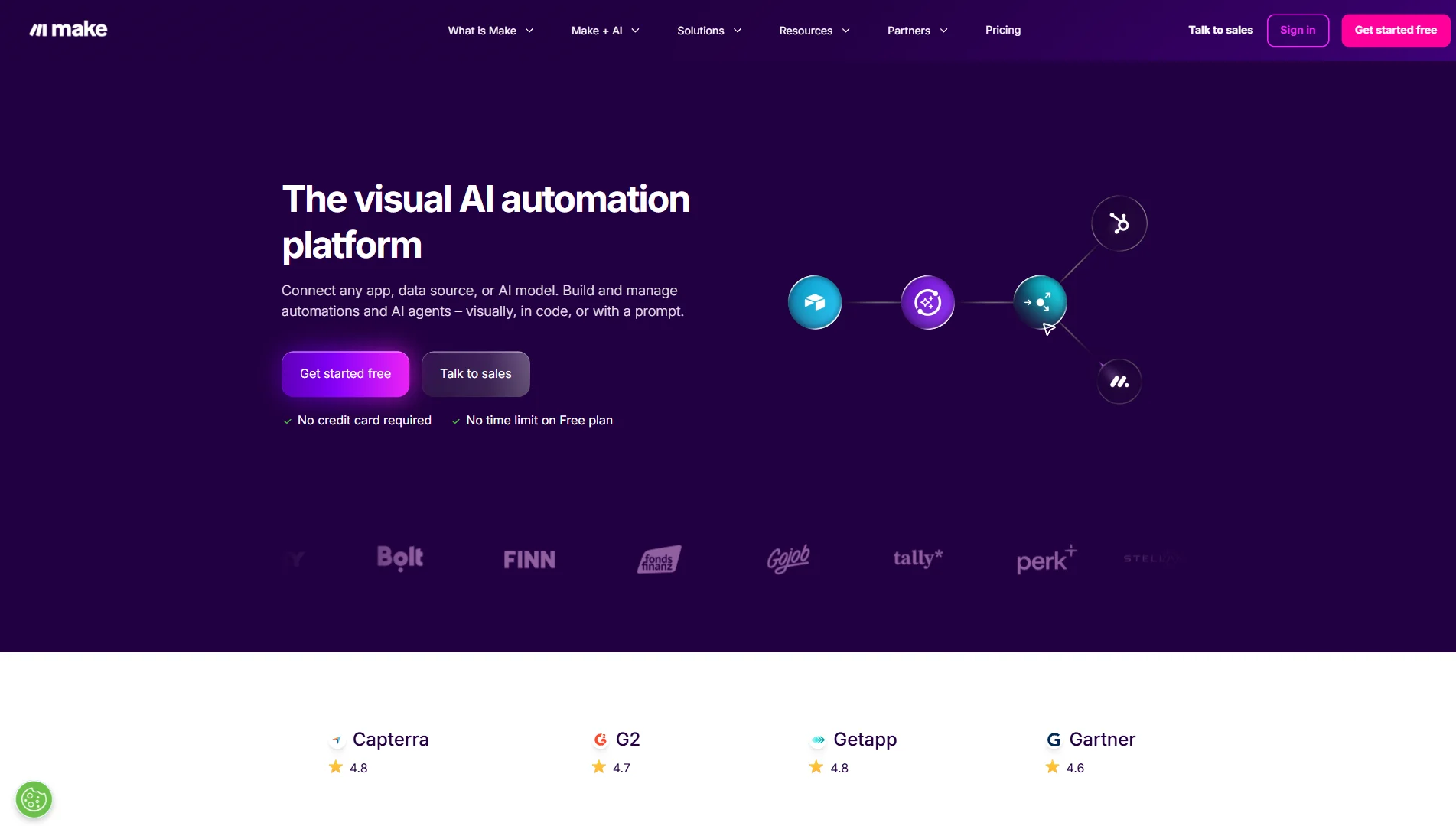
Make.com (formerly Integromat) is a visual workflow automation platform. Instead of Zapier’s linear step-by-step list, Make gives you a 2D canvas where you drop circular app modules and draw connections between them. The result looks like a mind map — and it’s genuinely how complex automation logic should be visualized.
Founded in 2012, rebranded to Make.com in 2022 after Celonis acquired it. Today it connects 3,000+ apps and handles everything from simple lead routing to full AI agent pipelines.
What makes Make different from every other tool in this category: Routers. A router lets you split one trigger into multiple parallel paths with independent conditions. That multi-path lead routing scenario above? Takes about 20 minutes on Make. On Zapier, it requires an expensive upgrade.
Key Features in 2026
Visual Canvas + Routers
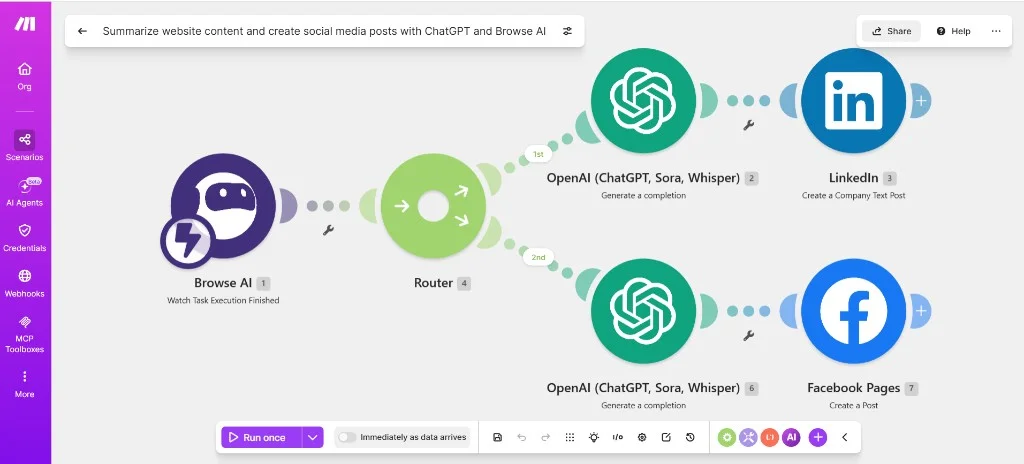
The canvas is Make’s core differentiator. During a test run, you watch colored data bubbles travel between modules in real-time — you can literally see where your data is flowing and click any bubble to inspect its exact contents. Debugging that used to take 30 minutes of log-reading takes 3 minutes on Make.
Routers split workflows into conditional branches — exactly like the template above, where one trigger fans out to two parallel AI + social posting paths. A single Shopify order trigger can fan out to: update Airtable → notify Slack → create invoice in QuickBooks → trigger fulfillment email — all in parallel, with different conditions per branch. On Zapier, this costs $100+/month. On Make Core ($9/month), it’s standard.
AI Integration (2026 Update)
Make added native modules for OpenAI, Anthropic Claude, Google Gemini, and Stability AI. You drag an “OpenAI” module onto the canvas, connect your trigger data, write your prompt with dynamic variables, and the AI response flows directly into the next module — the same pattern visible in the scenario screenshot above (Browse AI → OpenAI → social post).
In practice: I built a scenario that pulls new Typeform responses, sends the text to Claude for sentiment analysis, and routes negative responses to a Slack channel for manual review — all within 45 minutes of starting. Zero code. The AI module handled JSON parsing automatically.
Make Skills for Claude (beta, 2026) takes this further: you describe a workflow in plain English to Claude, and it configures the Make scenario for you. Still rough around the edges, but directionally significant.
Data Manipulation — No JavaScript Required
Make includes a built-in function library covering strings, math, arrays, dates, and JSON — similar to Excel formulas but for automation. The Iterator module processes arrays item-by-item; the Aggregator bundles them back into a single output.
Real example: a Shopify webhook sends an array of 50 line items. Iterator splits them, a Google Sheets module logs each one, Aggregator combines totals, one final Slack message sends the summary. This would require a custom function in Zapier. In Make it’s entirely visual.
Pricing: What You Actually Pay
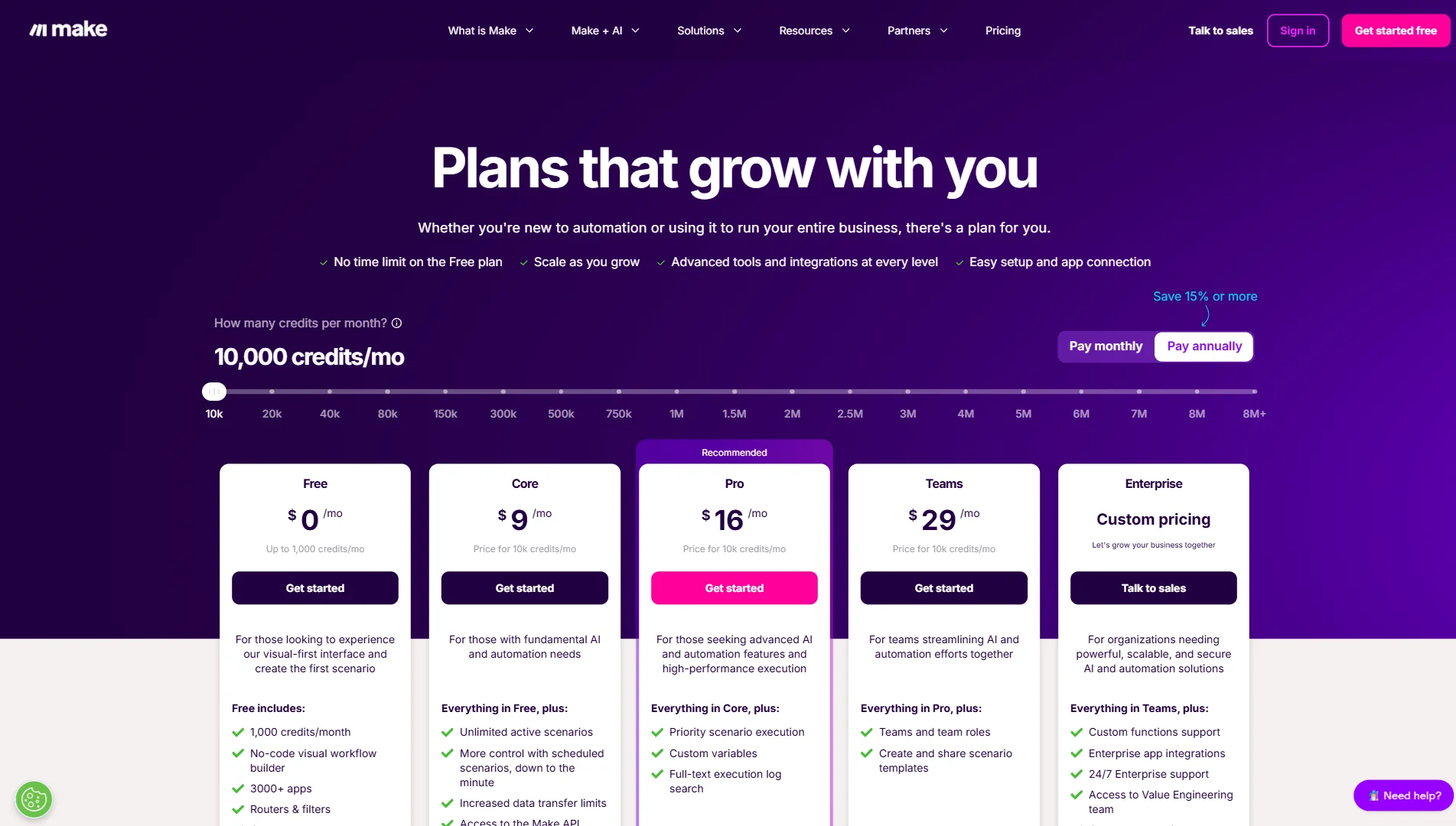
Make uses an operations model — each module execution costs 1 operation. A 5-step scenario consumes 5 ops per run.
| Plan | Price/month | Operations | Execution Interval | Key Extras |
|---|---|---|---|---|
| Free | $0 | 1,000 | 15 min | 2 active scenarios |
| Core | $9 | 10,000 | 1 min | Unlimited scenarios, Make API |
| Pro | $16 | 10,000+ | 1 min | Priority execution, custom vars, full log search |
| Teams | $29 | 10,000+ | 1 min | Team roles, shared templates, higher API limits |
(Prices shown at annual billing rate — monthly billing is ~20% higher)
The Zapier comparison in real numbers: 10,000 Zapier tasks/month = $103.50/month (Professional plan). Make Core with 10,000 operations = $9/month. For the same volume, Make costs 91% less.
Watch out: operations add up fast on complex scenarios with many filters and error handlers. A 12-module scenario running 500 times/month = 6,000 ops. Plan your scenarios before committing to a tier.
Make.com vs The Competition
Make vs Zapier
Zapier wins on simplicity — if you’ve never touched automation and need Facebook Leads → Gmail in 5 minutes, Zapier gets you there faster. But Zapier’s linear flow hits a hard wall when logic gets complex, and pricing scales brutally.
Choose Zapier if: you need a dead-simple setup in under 10 minutes and volume is low. Choose Make if: you need multi-branch logic, high operation volume, or AI integration — and you’re willing to spend 2 hours learning the canvas once.
For a detailed head-to-head breakdown, read our full Make.com vs Zapier comparison.
Make vs n8n
n8n is the developer’s choice — self-hostable (free), supports raw JavaScript in nodes, and has no operation limits if you run it yourself. But self-hosting means managing a server, updates, and uptime.
Choose n8n if: you’re a developer comfortable with DevOps and want zero monthly cost. Choose Make if: you want a fully managed SaaS, a beautiful visual UI, and no server to maintain.
My Experience with Make.com
I’ve been running Make.com as the backbone of my agency’s client delivery stack for 6 months — on a MacBook Pro M3, primarily building automations for e-commerce and SaaS clients using Shopify, Airtable, HubSpot, and OpenAI.
First week was frustrating. Coming from Zapier, the canvas felt alien. I kept looking for a “step 1, step 2, step 3” panel. It doesn’t exist. The learning curve is real — budget 3-4 hours before Make clicks.
The Moment of Truth came on week 2. A client needed a system to process incoming Typeform applications: check if the applicant email was in HubSpot, score the application with AI, route high-scorers to a Slack approval channel, and auto-reject low-scorers with a personalized email. In Zapier this would have required 4 separate Zaps and a premium plan. In Make, I built the entire thing as one visual scenario in 2 hours and 20 minutes. It has run 847 times since without a single failure.
What I use it for daily:
- Client reporting: pulls data from 6 sources at 7am, feeds to Claude for summary, posts to Slack
- Lead enrichment: new CRM contact → Apollo.io lookup → AI qualification → route to sales rep
- Invoice automation: Stripe payment → create invoice PDF → send to client → log in Airtable
What still frustrates me: Error messages when an API call fails are often raw JSON dumps — not beginner-friendly. And if you’re building scenarios with 15+ modules, performance can slow slightly during test runs. The full-text execution log search requires the Pro plan — on Core, debugging historical errors is annoying.
Final Verdict: Is Make.com Worth It?
Yes — with one condition: you need to be willing to invest a few hours learning the canvas. Make.com is not plug-and-play for beginners. But once it clicks, it’s genuinely the most powerful no-code automation tool at this price point.
Buy Make.com if:
- You’re building multi-step workflows with branching logic (Routers are a game-changer)
- You’re currently paying $50-200+/month on Zapier for high operation volume
- You want to integrate AI models (Claude, GPT-4, Gemini) into automation without writing code
Skip Make.com if:
- You need a simple 2-step automation and never plan to go beyond that (Zapier is faster)
- You’re a developer who wants to self-host and write custom code freely (use n8n)
Make.com
Make.com is the automation platform that scales with you — visual, AI-ready, and 91% cheaper than Zapier at volume. Start free, upgrade when you need to.
PROS
- Visual canvas makes complex branching logic actually manageable
- 10,000 operations for $9/mo vs Zapier's $100+ for the same volume
- Native AI integrations — OpenAI, Claude, Gemini — drag-and-drop, no code
CONS
- Credit model requires upfront planning — complex scenarios burn ops fast
- Steeper initial learning curve than Zapier for absolute beginners
Final Rating: 4.8 / 5