Within 8 minutes, you can connect a Typeform to Slack on Zapier and watch a new lead notification appear — no code, no server, no developer ticket. For a founder who just needs one reliable pipe between two apps, that speed is hard to beat.
The problem shows up later. When a client asks you to branch logic, enrich data, and route high-value buyers differently, Zapier’s task math and plan gates start to bite. In this Zapier Review 2026, we break down where the platform still earns its reputation — and where the premium price stops making sense.
What is Zapier?
Zapier is a no-code automation platform that connects apps through workflows called Zaps. Founded in 2011, it was one of the first tools to make “if this happens in App A, do that in App B” accessible to non-developers.
Its main moat is integration breadth: 7,000+ apps in the catalog, including obscure vertical SaaS tools that competitors often lack. Marketing teams, ops managers, and solo founders use it to eliminate repetitive copy-paste between Gmail, Slack, Notion, HubSpot, Shopify, and hundreds of other services — without waiting on engineering.
If you want a deeper look at the main alternative we recommend for complex workflows, read our full Make.com review — it covers the visual canvas, Routers, and pricing in detail.
Key Features in 2026
Multi-Step Zaps: Linear Workflow Automation
Zapier’s builder is a vertical step list: trigger first, then action 2, action 3, and so on. That linear layout is why beginners love it — you always know what runs next.
A typical multi-step Zap might look like: new Shopify order → create HubSpot contact → post order summary to Slack → add row to Google Sheets. Each successful action after the trigger counts as one task. In practice, a “simple” 4-action Zap running 500 times a month already burns 1,500 tasks before you add any branching.
I found the editor fast for straight-line workflows. Where it frustrates me is maintenance: once you have eight steps and two filters, scrolling the vertical list to debug a failed step 6 feels slower than scanning a visual map — something we cover in our Make.com vs Zapier comparison.
Filters and Paths: Conditional Routing (With a Catch)
Filters stop a Zap mid-run if a condition fails (e.g., only continue if order_total > 500). Paths split one trigger into parallel branches — VIP buyers to HubSpot, everyone else to Mailchimp.
Filters are available on paid plans below Professional. Paths require Professional or higher — and that is where pricing gets misleading. Professional starts at $49/month (annual billing) with Paths enabled, but only 2,000 tasks/month. For a 5-step Zap running a few hundred times daily, you hit the ceiling in days and need to jump to the 10,000-task tier at $103.50/month.
When I tried to add Paths to a live client Zap on Starter, Zapier showed a clean upgrade modal — not a bug, just a paywall. It works as designed, but it stings when conditional routing is table stakes for the workflow you already sold.
Zapier Tables & Interfaces
Zapier has added lightweight Tables (spreadsheet-style storage) and Interfaces (simple forms and pages) so you can collect data and trigger Zaps without a separate Airtable or Typeform account.
I tested a basic lead-capture Interface feeding a Table and triggering a Slack alert. It worked for a demo, but field types, permissions, and design flexibility lag behind Airtable or Webflow Forms. Treat these as bonus utilities inside Zapier — not replacements for a real database or form product.
AI Actions (Zapier Copilot)
Zapier now ships native OpenAI and Claude steps inside Zaps, plus Copilot helpers that suggest automations from plain-English prompts. Setup is genuinely one-click compared to wiring raw API keys in Make or n8n.
The trade-off is cost stacking: you pay Zapier tasks and your LLM usage. For occasional summarization or classification it is fine; for high-volume AI enrichment on thousands of rows, task burn accelerates fast.
Pricing: The “Task Tax” and Tier System
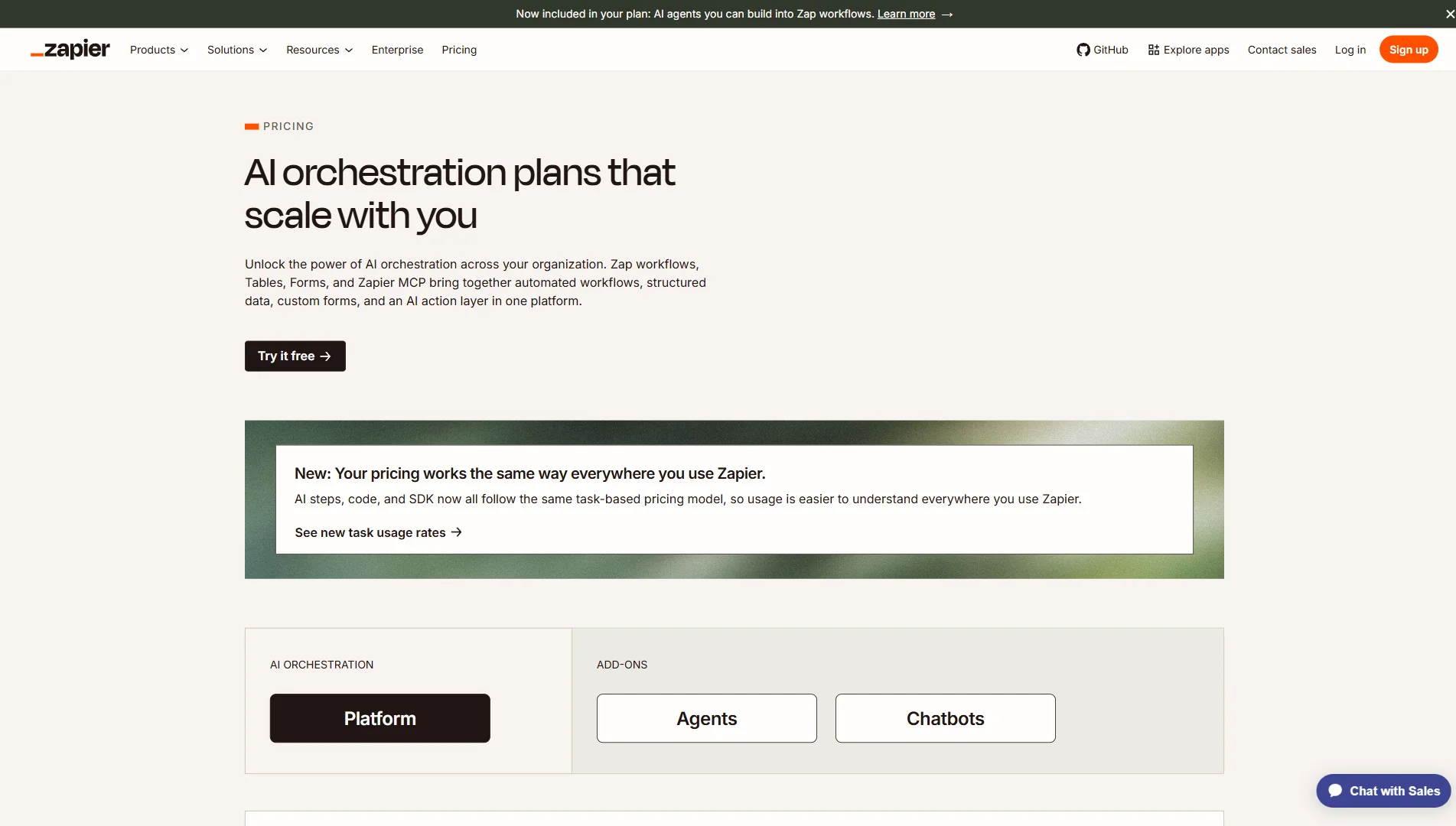
Zapier charges per successful action step (the trigger itself is free). A 5-step Zap uses 4 tasks per run.
| Plan | Price (Annual) | Tasks/Month | Key Limits | Best For |
|---|---|---|---|---|
| Free | $0/month | 100 | Single-step Zaps only | Basic personal testing |
| Starter | $19.99/month | 750 | Multi-step Zaps, no Paths | Solopreneurs, low volume |
| Professional | $49.00/month | 2,000 | Paths included, 1-min polling | Small teams, light branching |
| Professional (10k tasks) | $103.50/month | 10,000 | Paths + higher volume | Agencies with daily automations |
| Team | $99.00/month | 5,000 | Shared folders, SAML SSO | Multi-user orgs |
How to read this table without getting burned:
- $49/month Professional unlocks Paths, but 2,000 tasks disappears quickly on multi-step Zaps. Example: a 5-step Zap running 400 times/month = 1,600 tasks — almost full already.
- $103.50/month is the tier most scaling businesses actually need once Paths and volume combine. That is the number we use in our Make.com vs Zapier comparison when comparing against Make’s Core plan at $9/month for 10,000 operations.
The “Task Tax” is real: complexity and volume multiply together. Zapier is affordable at the entry line; it is expensive at the scale where automation delivers the most value.
Zapier vs The Competition
Zapier vs Make.com
Make.com uses a 2D visual canvas (modules and lines) instead of Zapier’s vertical step list. Routers — Make’s branching equivalent — ship on all paid plans, including Core at $9/month.
Zapier wins on app catalog size and onboarding speed. Make wins on branching without a paywall and roughly 10x lower cost at 10,000 tasks/operations. For the full UI and pricing side-by-side, see Make.com vs Zapier 2026. For Make-specific features and our hands-on testing notes, see the Make.com review.
Zapier vs n8n
n8n (self-hosted or n8n Cloud) offers execution-based billing, JavaScript in nodes, and optional self-hosting — ideal for developers who tolerate some setup. Zapier is fully managed: no Docker, no uptime monitoring, no upgrade cycles. Choose n8n for control and per-run pricing; choose Zapier for speed and support.
My Experience with Zapier
I have run Zapier in production alongside Shopify, HubSpot, Mailchimp, and Slack on a MacBook Pro M3 — mostly for e-commerce and lead ops clients who wanted something live before the weekend.
The Early Success
The first win was deliberately small: new Shopify order → formatted message in #orders Slack channel. I connected accounts, mapped five fields, turned the Zap on, and timed it — 8 minutes end to end. No documentation rabbit holes, no webhook URLs to paste.
That Zap ran 631 times over three months with zero failures I had to debug. Our ops lead stopped copying order details manually — roughly 2 hours back per week on her side alone. For linear, two- to four-step workflows, Zapier delivered exactly what it promises.
The Breaking Point
The client then asked for a reasonable upgrade: on each order, look up the buyer in HubSpot, tag VIPs by order value, and route high-value buyers into a separate Mailchimp journey. That turned a 2-step Zap into a 6-step flow with Paths.
Two walls appeared immediately:
- The Paths paywall: On Starter ($19.99/mo), Zapier would not let us add a Path step at all. Professional ($49/mo) unlocked Paths — but only 2,000 tasks. Fine for testing, not for production order volume.
- The task math: Each order run consumed 5 tasks (trigger free + 5 actions). At ~400 orders/month we were at 2,000 tasks — plan maxed. At 2,000 orders/month, we needed 10,000 tasks → $103.50/month on annual billing before counting team seats.
We quoted the client an automation retainer assuming ~$20–50/month in tooling. Zapier’s real bill at their volume was $103.50+ — hard to justify when the workflow was standard branching, not exotic AI.
We moved the expanded workflow to Make.com on Core ($9/mo, Routers included) and documented the migration and exact tier comparison in our Make.com vs Zapier breakdown. Zapier stayed live for the original simple Shopify → Slack pipe for another month — it was still the fastest tool for that one job.
What I Still Use Zapier For
I have not fully “quit” Zapier. For one-off, two-step connectors — especially when the app only exists in Zapier’s catalog — I still spin up a Zap in minutes. I just will not build multi-path, high-volume client systems on it anymore unless the client explicitly budgets for the 10k-task tier.
Final Verdict: Is Zapier Worth It?
Zapier remains the fastest on-ramp to no-code automation and the safest bet for obscure app integrations. Reliability and polish are real — this is not a legacy product coasting on brand.
But for agencies and scaling shops, the pricing model punishes exactly the workflows that matter most: multi-step, conditional, high-volume.
Buy this if:
- You need a simple 2-step automation live in under 15 minutes.
- You must connect a niche app that only Zapier supports.
- You want managed cloud automation with minimal setup and strong uptime.
Skip this if:
- You need Paths and serious monthly volume on one budget line.
- You build complex branching workflows regularly (consider Make.com instead).
- You are cost-sensitive above ~2,000 tasks/month — see our comparison for the math.
Make.com
Need branching logic without a $103/month paywall? Make.com offers a visual canvas, Routers on all plans, and roughly 10x lower cost at 10,000 operations.
PROS
- Visual drag-and-drop canvas for complex workflows
- Routers (branching) on Core — no Paths paywall
- Roughly 10x cheaper than Zapier at high task volume
CONS
- Steeper learning curve for absolute beginners
- Smaller app library (~3,000+ vs Zapier's 7,000+)